o999 Deposit Guide: from wallet PIN to playing balance
Read this once and you can fund your account on your own. You will know which wallet to pick, how much goes in at the smallest, how long the credit takes, and exactly what to do when a payment leaves your phone but never reaches your balance.
- 18+ only
- SSL Encryption
- 24/7 Support
- bKash
- Nagad
18+ · Play Responsibly
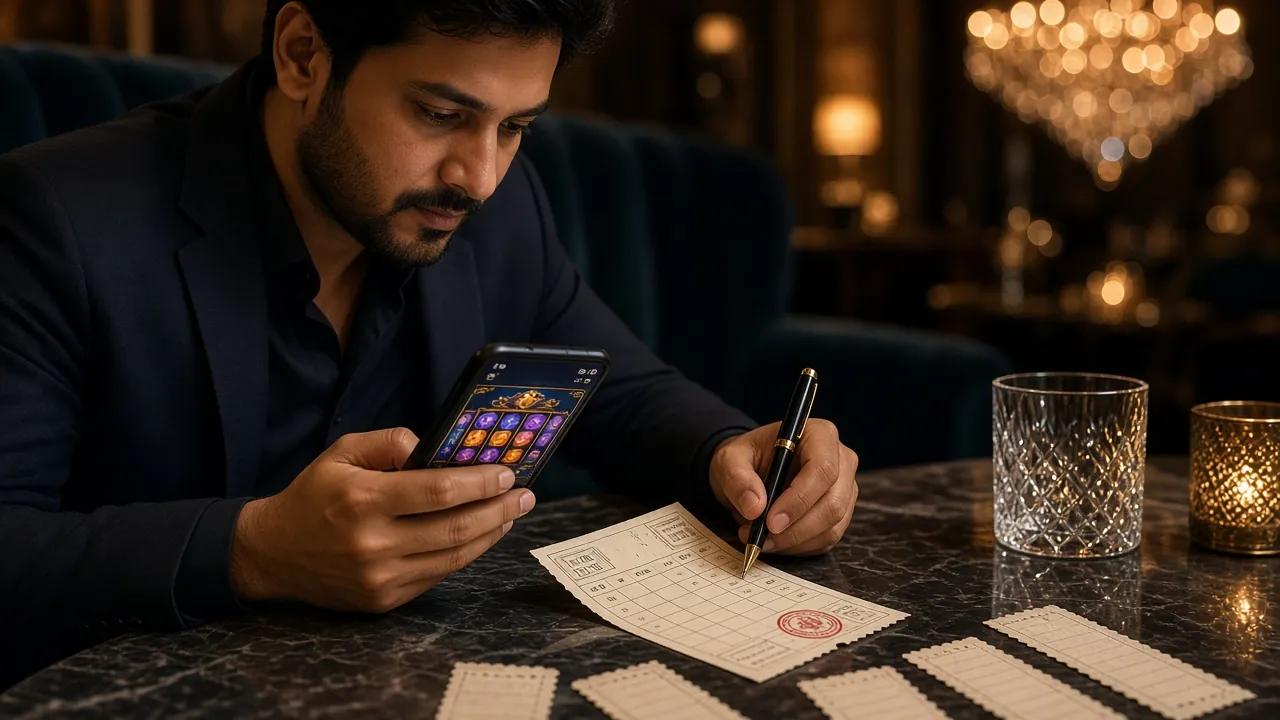
What to have ready before you pay
A deposit here is a transfer from a mobile wallet in your own name. There is no card to save and no bank slip to fill in. You need the handset that holds your wallet account, the PIN for that wallet, and at least ৳500 sitting free in it.
Keep the wallet app open once you begin. The cashier opens a payment request and waits for you to approve it, so if you switch to a shop app or let the screen sleep, that request can expire before the PIN pad ever appears. Starting again is free, but the delay is annoying when a match is about to start.
- Games in the lobby
- 2,300
- First deposit bonus
- 205%
- Minimum deposit
- ৳500
- Withdrawal time
- 11 min
- Pay from a wallet registered in your own name. A deposit sent from a relative's account is a third-party payment and gets held.
- ৳500 is the floor for a single deposit. Two small payments do not combine into one that clears the minimum.
- Credit lands in about 6 minutes. Keep the wallet's transaction ID until the balance actually moves.
- No documents are needed to deposit. Identity checks come before your first withdrawal, not before your first bet.
How fast each wallet lands
All four methods run through the same cashier and share the same ৳500 floor. What changes is the app on your phone and whatever charge that app applies when money leaves it.
| Method | Minimum deposit | Time to credit | Charge you may see |
|---|---|---|---|
| bKashMost used at night | ৳500 | About 6 minutes | Wallet's own cash-out charge |
| NagadPIN screen inside the app | ৳500 | About 6 minutes | Wallet's own cash-out charge |
| RocketMenu style, agent friendly | ৳500 | About 6 minutes | Wallet's own cash-out charge |
| UpayQuietest at busy hours | ৳500 | About 6 minutes | Wallet's own cash-out charge |
Payouts use the same four wallets. Once a withdrawal is approved, the money usually reaches the wallet in about 11 minutes, and the smallest amount you can request is ৳400. If you want the full walkthrough on documents and limits, the withdrawal and KYC guide covers it line by line.
Your first deposit, from PIN to balance
Four moves, no queue, no branch visit. The whole thing takes longer to read than to do.
-
Open an account or sign in
New here? The register page asks for a phone number and a password, and you are in. If you already have a login, sign in from the usual page and go straight to the cashier.
-
Choose Deposit and pick your wallet
Inside the cashier, select bKash, Nagad, Rocket or Upay. The screen then shows the receiver name it expects to see, so keep that name on screen while you approve the payment.
-
Enter ৳500 or more
Type the amount and confirm. The site passes you to your wallet with a payment request already carrying the reference it needs. Do not edit that reference or type a number from memory into a send screen.
-
Approve with your wallet PIN
Check the receiver name, enter your PIN in the wallet app and send. Come back to o999 and give it the full window. Most balances move well inside 6 minutes, and the credit appears without a page reload.
No confirmation call is needed and nobody will ask for your PIN. If the balance is still short after 6 minutes, live chat can trace the payment with the transaction ID from your wallet statement.
bKash, Nagad, Rocket and Upay in practice
Same cashier, four different apps. These are the small habits that keep each one clean.
bKash
Most first deposits come through bKash, and the flow is the shortest of the four: the cashier hands you to the app, you approve, and the balance follows a few minutes later.
- Use the payment request the cashier generates rather than sending money to a number saved in your contacts.
- Read the receiver name out loud before you tap send.
- Keep the transaction ID in a note until the balance moves, in case chat asks for it.
Nagad
Nagad runs the same route with its own password screen. You approve inside the Nagad app, and the confirmation arrives as a Nagad message rather than a bKash one.
- If Nagad asks you to update the app mid-payment, finish the update and start the deposit again from the cashier.
- An update started halfway through usually kills the request, so no money leaves and nothing is stuck.
- Check that the number on the Nagad account matches the number on your o999 profile.
Rocket
Rocket is common among players who already keep a bank account or an agent nearby. The app is menu driven, so the payment screens look different from the first two.
- Type your Rocket PIN inside the app only, never into a browser window that opened by itself.
- An agent-assisted deposit can take a few extra minutes because the agent has to key the entry in first.
- If you use an agent, collect the printed slip or note the reference before you leave the counter.
Upay
Upay is the quieter option. Fewer players use it, so a deposit on a Friday night is less likely to sit behind a long confirmation queue.
- Sign in to Upay before you open the o999 cashier, not after.
- If Upay logs you out, the payment screen closes and the request has to be started again from the deposit page.
- Keep the wallet app installed and updated; an older build sometimes fails to open the approval screen.
When the money leaves your wallet but not your balance
Most of the time the deposit is simply still travelling. A wallet confirmation and our credit step are two separate events, and the gap between them is usually shorter than 6 minutes. Check the wallet statement first: if the money is still in the wallet, nothing was sent and you can start again.
| What you see | Likely cause | What to do |
|---|---|---|
| Wallet debited, balance unchanged | Confirmation still travelling to us | Wait the full 6 minutes and refresh. Then open live chat with the wallet transaction ID. |
| Payment request expired | Too long away from the app | Return to the deposit page and start a fresh request. The expired one carries no money. |
| Rejected for being below the minimum | Amount under ৳500 | Send ৳500 or more in one payment. Two smaller ones will not add up for you. |
| Wallet says you are short of balance | Cash-out charge left the wallet thin | Keep a little extra in the wallet on top of the deposit you plan to make. |
| PIN blocked on the wallet | Too many wrong entries | Reset the PIN inside the wallet app or with the wallet's own helpline, then try once more. |
| Deposit held for a name mismatch | Payment came from someone else's account | Deposit only from your own wallet. Ask live chat how the transfer gets returned. |
| Money bounced back hours later | The payment could not be matched to your account | Nothing is lost. Start a new deposit from the cashier, not from the wallet send screen. |
Live chat runs around the clock. Have three things typed and ready before you write: the wallet name, the amount, and the transaction ID. That is enough for a single lookup instead of a back-and-forth.
The 205% welcome bonus, and what it asks of you
205%
on your first deposit, capped at ৳26,500. Claim it in the cashier before you approve the wallet payment, not after the money has landed.
- Minimum deposit to qualify৳500
- Maximum bonus৳26,500
- Wagering on the bonus23×
- Offer stays open for7 days
A ৳1,000 deposit brings a ৳2,050 bonus. At 23× wagering that is ৳47,150 in bets before any of it turns into withdrawable cash, so treat the offer as extra play time rather than a quick payout. After the first deposit, later top-ups carry a 23% reload, the account earns 0.5% cashback daily, and a friend who deposits on your referral brings ৳225. Game eligibility sits with the offer itself, listed on the bonus and VIP page.
The deposit is only half the job: getting it out
A withdrawal asks for one thing a deposit never asks for: proof of who you are. Do that check early and the payout becomes a two-click job later.
Before your first withdrawal, send a photo of a National ID card, a passport or a driving licence. The review takes up to 24 hours, and the very first payout usually takes about 2 hours while the account gets its first proper look. After that, approved withdrawals reach the wallet in roughly 11 minutes.
- The smallest withdrawal is ৳400, and the standard daily ceiling is ৳150,000. Higher loyalty tiers lift that ceiling.
- Money returns through bKash, Nagad, Rocket or Upay, so keep the wallet number on your profile current.
- Deposits and withdrawals should use the same wallet. Mixing them is the fastest way to trigger a manual review.
- Full document list, review times and tier limits live on the withdrawal and KYC guide.
Questions that come up during a first deposit
What is the smallest deposit I can make?
৳500. Anything below that is stopped by the cashier before your wallet opens, so no money leaves on a payment that could never be credited.
How long should a bKash deposit take?
About 6 minutes from the moment you approve it. Wallet confirmations slow down at busy hours, so give it the whole window before you start worrying.
Does o999 take a cut of my deposit?
The amount you approve is the amount credited. Any charge your wallet makes when money leaves it appears as a separate line in your wallet statement, not on your gaming balance.
The payment left my wallet but the balance is empty. What now?
Wait 6 minutes and refresh the page. If it is still missing, open live chat with the wallet transaction ID. Uncredited payments can be traced from that number alone.
Can I deposit from my brother's Nagad account?
No. Deposits have to come from a wallet registered in your own name. A third-party payment is returned, and it can hold up a withdrawal later on.
Do I need documents before I deposit?
No. You can deposit and play straight away. Identity documents are needed before your first withdrawal, and that check takes up to 24 hours.
Is there a daily deposit limit?
The ceiling is set by your wallet rather than by the site. If you plan to move a large amount in one go, check the wallet's own limit first so the payment does not stop halfway.
Can I deposit from the o999 app?
Yes. The app opens the same cashier and the same four wallets. Version 3.9.20 is 32 MB and runs on Android 6.0 and newer. The app page has the APK, the size, and the install steps.
Start with ৳500 and let the bonus land
Open an account, pick your wallet in the cashier, and approve the request on your phone. The first deposit credits in about 6 minutes and unlocks the 205% welcome offer on the spot.
Already funded and ready to play? Sign in and head for the tables. On the move instead? Grab the APK from the o999 app page.